Instagram Trending Newspaper Image Prompt

Premium AI Newspaper Prompt

Create your own Viral Hindi Newspaper Front Page using AI

Instructions: How to use this prompt

  1. Open ChatGPT: Log in to your ChatGPT account and ensure you have access to the Image Generation tool (GPT-4 or DALL-E 3).
  2. Select Image Tool: Ensure the image generation feature is active in your chat session.
  3. Upload Your Photo: Click the ‘+’ or attachment icon and upload the clear face photo you want to use as a reference.
  4. Copy & Edit Prompt: Use the “Copy Prompt” button below to get the text. You can edit personal details like Name or Location within the prompt to match your profile.
  5. Generate Image: Paste the prompt into the chat and hit enter. Wait for the AI to create your ultra-realistic newspaper front page!

Copy the Prompt Below:

Ultra-realistic full-page Hindi newspaper front page design in authentic Dainik Bhaskar editorial style, premium Indian newspaper print layout, highly detailed typography, realistic newspaper texture, soft paper folds, professional offset print quality, cinematic editorial photography, clean column structure, sharp black Hindi headline fonts with red accent highlights, believable news formatting, realistic margins and spacing.

NEWSPAPER HEADER:
Top masthead exactly in bold “दैनिक भास्कर” style with black typography and orange sun icon in center, realistic edition details, weather box on left side, page index and local snippets in traditional Hindi newspaper formatting.

MAIN FEATURE STORY:
Headline in large bold Hindi text:
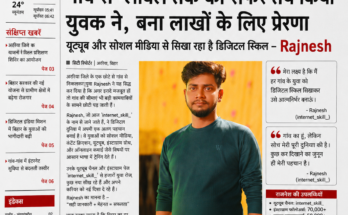
“अररिया बिहार के गांव का बेटा बना टेक क्रिएटर”

Main sub-headline in extra large bold typography:
“गांव से ग्लोबल तक का सफर तय किया युवक ने, बना लाखों के लिए प्रेरणा”

Secondary line:
“यूट्यूब और सोशल मीडिया से सिखा रहा है डिजिटल स्किल – Rajnesh”

ARTICLE THEME:
Story about a young tech creator from rural Bihar who became successful through YouTube, Instagram, content creation, digital skills and online learning, inspiring village youth toward digital education and self-employment.

MAIN SUBJECT (VERY IMPORTANT):
Use uploaded reference image of the user for exact identity match.
Keep:
– exact same face
– same hairstyle
– same beard density
– same jawline
– same skin tone
– same facial proportions
– same realistic Indian appearance

POSE:
Confident standing portrait pose inside newspaper article image, hands relaxed naturally, slight confident expression, direct eye contact with camera, humble rural-to-success personality vibe.

CLOTHING:
Dark green full sleeve fitted t-shirt, clean modern casual look.

EXPRESSION & EMOTION:
Confident, inspirational, grounded, intelligent, calm smile, realistic emotional depth showing success from hard work.

LIGHTING:
Warm cinematic Indian evening lighting, soft golden background bokeh, DSLR portrait lighting, shallow depth of field, natural skin texture preserved.

CAMERA:
Shot on professional DSLR,
85mm portrait lens,
f/1.8 aperture,
ultra sharp focus on eyes,
cinematic depth,
natural realistic photography.

NEWSPAPER ARTICLE DETAILS:
Include realistic Hindi paragraphs discussing:
– village background
– learning from YouTube
– social media journey
– teaching digital skills
– helping youth become self-reliant
– Instagram page “internet_skill_”
– inspiration for Bihar youth

SIDE QUOTE BOXES:
Add professional newspaper quote sections with red quote marks and Hindi motivational lines from Rajnesh.

ACHIEVEMENT BOX:
Include realistic stats:
– YouTube channel
– Instagram followers
– students taught
– digital education mission
– online earning guidance

BOTTOM NEWS STRIPS:
Add multiple tiny news thumbnails and mini articles across bottom section in authentic Indian newspaper style.

DESIGN STYLE:
– authentic Hindi newspaper print aesthetics
– realistic paper grain texture
– editorial print shadows
– sharp typography
– natural ink density
– believable page composition
– professional journalism layout
– ultra realistic newspaper photography

COLOR TONE:
Mostly white newspaper background with black typography, red highlight accents, subtle warm tones in portrait photo.

QUALITY:
Ultra HD,
8K,
hyper realistic,
print-ready,
editorial photography quality,
highly detailed,
real newspaper appearance,
cinematic realism.

IMPORTANT:
Use the uploaded reference image ONLY for face identity consistency. Preserve facial realism perfectly while adapting the subject naturally into a professional Hindi newspaper feature story front page.

Visit Internet Skill for more amazing AI tools and tutorials.

Instagram Trending Newspaper Image Prompt Read More

Instagram Kaluputik Viral Boy Video Copy With Ai

AI Transformation Video Tutorial: इंस्टाग्राम वायरल बॉय जैसा वीडियो कैसे बनाएं?

नमस्ते दोस्तों! अगर आप भी इंस्टाग्राम पर वायरल हो रहे ‘Viral Boy’ की तरह अपना फेस लगाकर अतरंगी ड्रेस वाला ट्रांसफॉर्मेशन वीडियो बनाना चाहते हैं, तो यह ट्यूटोरियल आपके लिए है। नीचे दिए गए स्टेप्स को ध्यान से फॉलो करें:

स्टेप 1: वायरल वीडियो डाउनलोड करें

सबसे पहले वायरल बॉय के प्रोफाइल में चले जाएं। जो वीडियो आपको पसंद है और जैसा आप बनाना चाहते हैं, उसे डाउनलोड कर लें। डाउनलोड करने के लिए गूगल में “Instagram Video Downloader” सर्च करें, वहां बहुत सारी वेबसाइट दिख जाएंगी, किसी पर भी क्लिक करके वीडियो डाउनलोड कर लें।

स्टेप 2: स्क्रीनशॉट लें

फिर उस वीडियो में से दो स्क्रीनशॉट लें:

  • पहला फ्रेम: जो नॉर्मल दिखता है।
  • दूसरा फ्रेम: जिसमें वह अपने अतरंगी ड्रेस में दिखता है (ट्रांसफॉर्म होने के बाद)।

स्टेप 3: ChatGPT इमेज जेनरेट करें

अब अपना ChatGPT ओपन करें और इमेज टूल को सेलेक्ट करें। पहले अपना फोटो सेलेक्ट करें और फिर उस लड़के का फोटो जिसका स्क्रीनशॉट आपने लिया है।

⚠️ ध्यान रखें: फोटो अपलोड करते समय पहले लड़के का फोटो दिखे और दूसरे नंबर पर आपका फोटो।

Step 3 Reference

अब नीचे दिया गया प्रॉन्प्ट डालकर जनरेट पर क्लिक कर दें:

Replace man shown in first uploaded image from the man shown in second uploaded image
Step 3 Output

स्टेप 4: दूसरा इमेज भी तैयार करें

इसी प्रोसेस से दूसरा इमेज भी जनरेट कर लें। पहला नॉर्मल आउटपुट वाला और फिर दूसरा फ्रेम जिसमें लड़का अपने अतरंगी ड्रेस के साथ ट्रांसफॉर्म हो जाता है। अब आपकी दोनों इमेजेस तैयार हैं।

स्टेप 5: Kling AI एप्लीकेशन डाउनलोड करें

नीचे दिए गए लिंक पर क्लिक करके इस एप्लीकेशन को डाउनलोड करें और अपनी ईमेल आईडी से साइन अप करें:

मेरा रेफर कोड इस्तेमाल करें: 7B9FC4VTX7CM
(इसे डालने पर आपको कुछ फ्री क्रेडिट्स मिलेंगे जिससे आप फ्री वीडियो बना सकेंगे।)

स्टेप 6: AI वीडियो जनरेट करें

एप्लीकेशन में बीच में (+) प्लस आइकॉन पर क्लिक करें और AI Video सेलेक्ट करें।

  1. ऊपर Motion Control ऑप्शन पर क्लिक करें।
  2. नीचे बड़े प्लस के आइकॉन पर अपना जनरेट किया हुआ इमेज अपलोड करें।
  3. Add Motion video के नीचे छोटे प्लस आइकॉन पर वह वायरल वीडियो अपलोड करें जिसकी एक्टिंग आप कॉपी करना चाहते हैं।
  4. वीडियो को दो पार्ट में बनाएं: पहला ट्रांसफॉर्म होने से पहले का और दूसरा ट्रांसफॉर्म होने के बाद का।
  5. प्रॉन्प्ट वाली जगह को खाली छोड़ दें और जनरेट पर क्लिक करें।

स्टेप 7: फाइनल एडिटिंग

दोनों वीडियो तैयार होने के बाद, उन्हें किसी भी एडिटिंग सॉफ्टवेयर (जैसे VN या CapCut) में जोड़ें। एक्स्ट्रा पार्ट को कट करें और वीडियो एक्सपोर्ट कर लें। आपका इंस्टाग्राम वायरल बॉय वाला वीडियो रेडी है! 👍

Note: अगर फ्री क्रेडिट्स खत्म हो जाएं, तो सब्सक्रिप्शन अपने रिस्क पर लें या कोई अल्टरनेटिव AI ढूंढ लें। यह तरीका 100% असली है और मैंने खुद इसे यूज करके वीडियो बनाया है।

अपनी प्रतिक्रिया नीचे कमेंट में जरूर दें!

Instagram Kaluputik Viral Boy Video Copy With Ai Read More

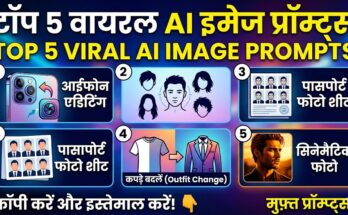
5 Trending AI Image Generation Prompts

Top 5 Best AI Image Generation Prompts

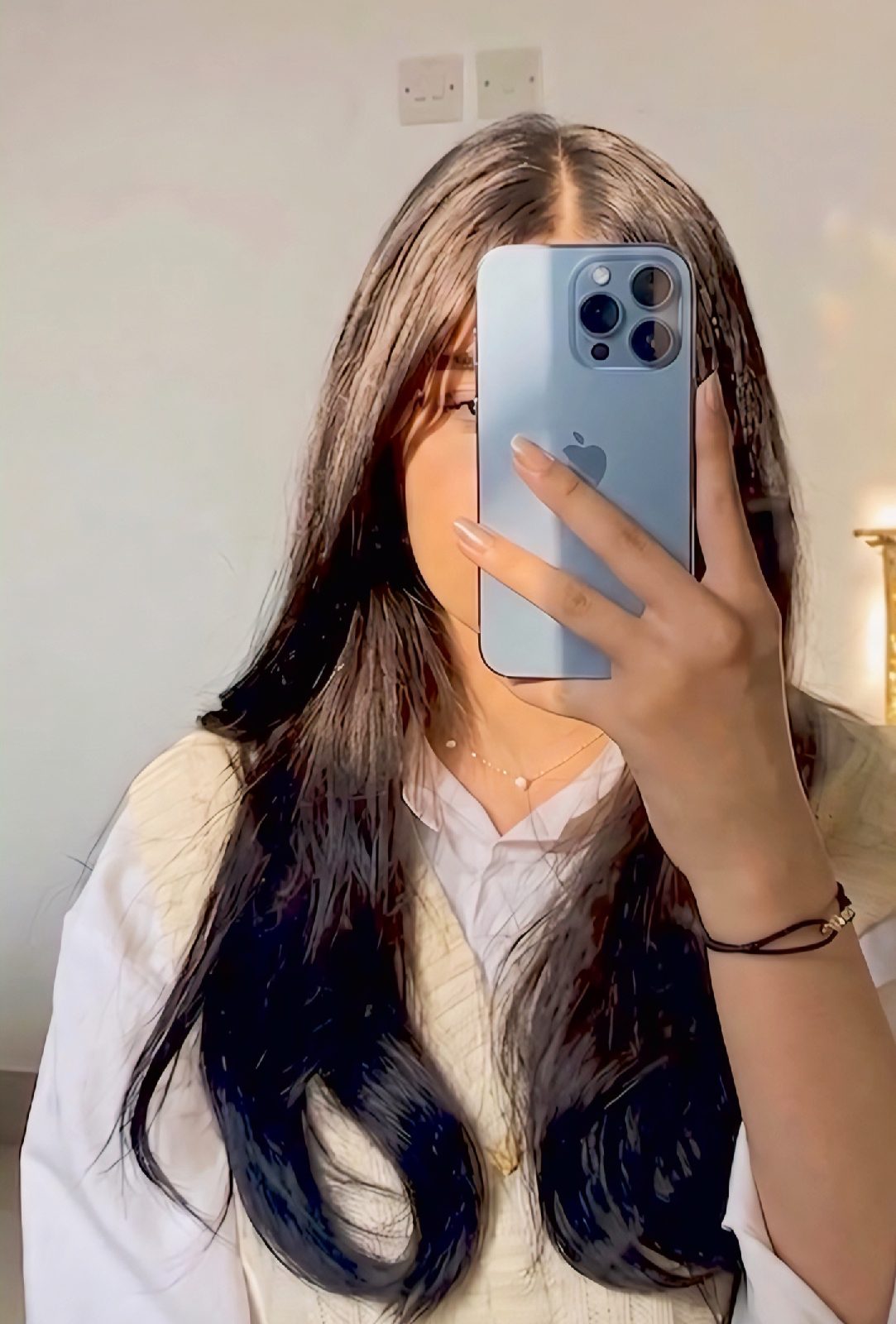
1. iPhone Editing Prompt

iPhone AI Generation

👇 Copy This Prompt:

“Replace the phone in the boy/girl's hand with a realistic Apple iPhone 17 Pro Max. The phone should have a sleek premium design with flat edges, ultra-thin bezels, and a large triple-camera module with LiDAR sensor in the top-left corner. Use a natural metallic finish (like titanium or graphite), with the Apple logo centered on the back. Phone must be match with the reference image or more clear results. Match the perspective, hand position, lighting, shadows, and reflections perfectly so it looks naturally held in her hand. Maintain correct finger placement wrapping around the device. Add realistic screen reflection or subtle glare consistent with the bathroom lighting. Ensure photorealistic quality, high detail, and seamless blending so it appears like the original photo was taken with the iPhone. Keep the background, person, pose, and composition unchanged.

2. Hairstyle Suggestion Prompt

Hairstyle AI Generation

👇 Copy This Prompt:

"Here is my face photo. Analyze my face shape, forehead size, jawline, and overall hair texture. Based on this analysis: 1. Suggest at least 5 modern and trending hairstyles that will suit me best. 2. For each hairstyle, explain why it matches my face shape and personality. 3. Provide example hairstyle images (generated, not stock photos) so I can visualize each look. 4. Also recommend whether I should go for short, medium, or long hair length.5. Add quick styling and maintenance tips for each suggested hairstyle. Important: Along with text explanation, generate clear hairstyle example images adapted to my face photo." GENERATE IMAGE NOW.

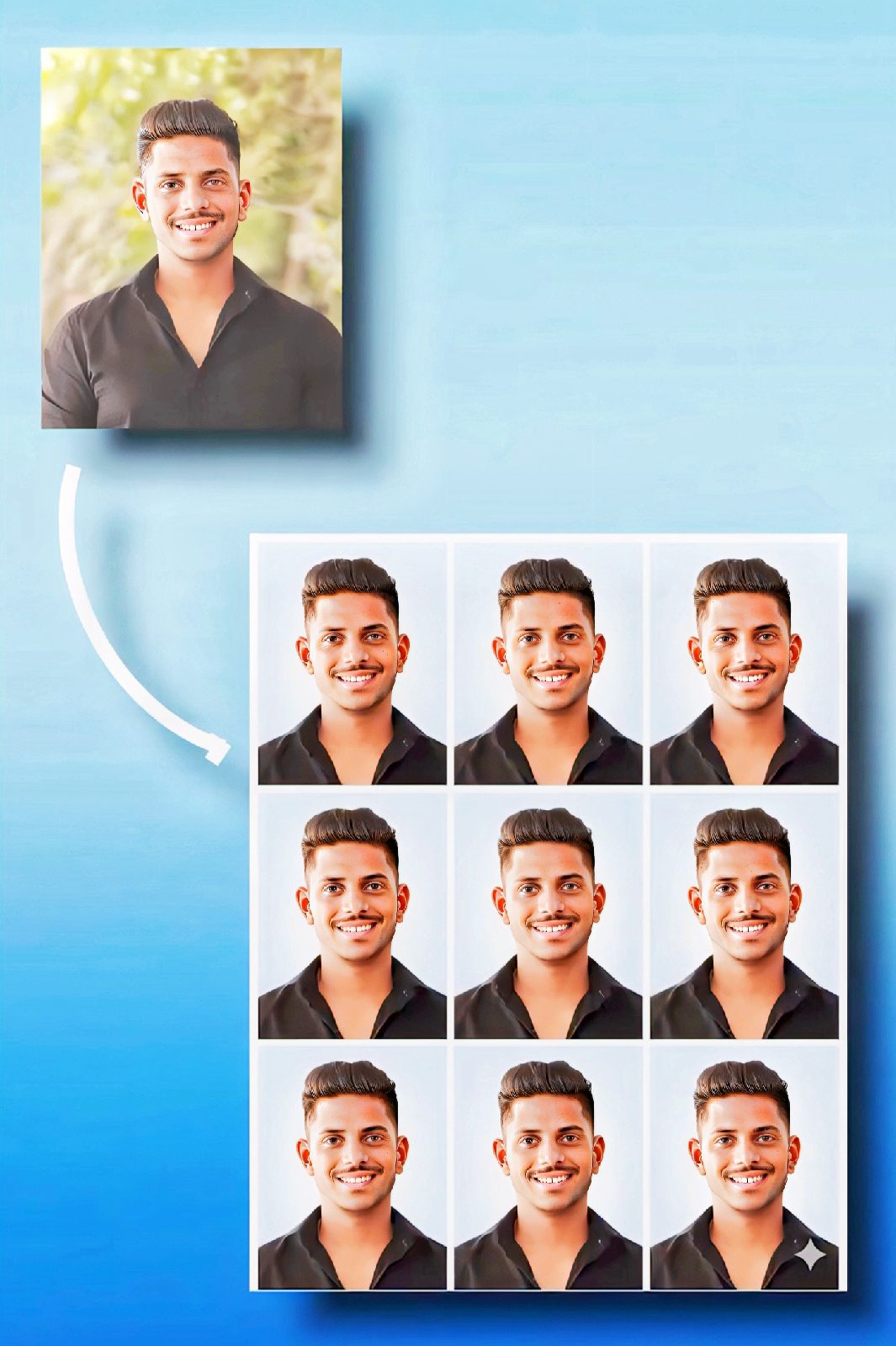
3. Passport Photo Generator Prompt

Passport Photo AI Generation

👇 Copy This Prompt:

"Use the uploaded photo of the person and generate a standard Indian passport-size photo sheet. Keep the face EXACTLY the same without any modification or beautification. Maintain natural skin tone and original facial features. The background should be a clean light blue and white gradient, suitable for official Indian passport photos. The person should be centered, with proper head spacing, neutral expression, and formal alignment. Create a 12×3 grid layout (12 photos in total arranged in 3 rows), each in standard Indian passport size proportions. Ensure high resolution, sharp focus, proper lighting, and no distortion. The output should look like a professional passport photo print sheet ready for use."

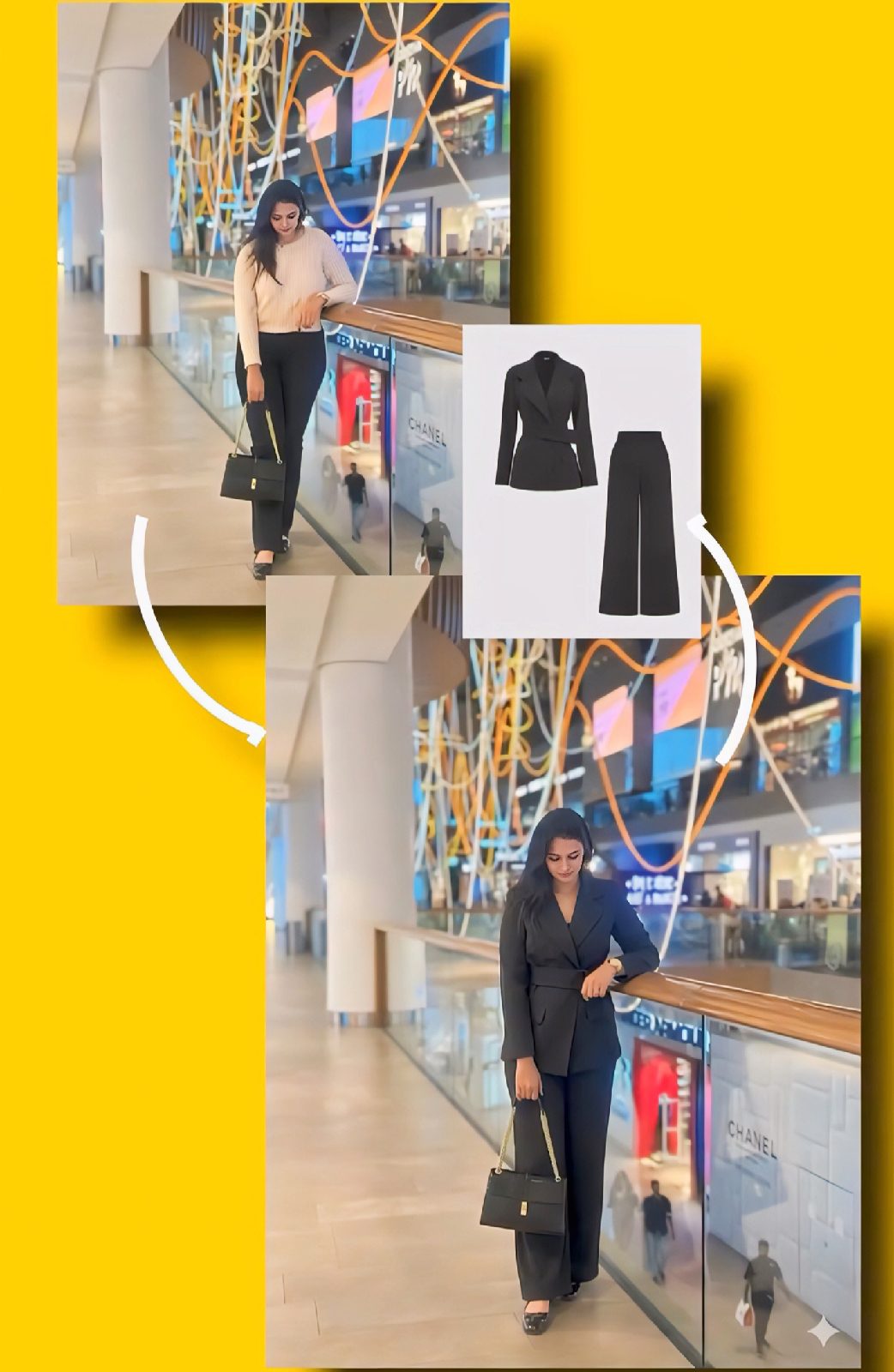
4. Outfit Change Prompt

Outfit Change AI Generation

👇 Copy This Prompt:

Change the entire outfit in the first photo to match the outfit in the second photo. It should be realistic, (golden hour lighting) do not change anything else. " GENERATE IMAGE NOW. (Make sure you have to add reference Outfit image to generate realistic outfit changing photo)

5. Cinematic Portrait Prompt

Cinematic AI Generation

👇 Copy This Prompt:

Cinematic portrait restoration. Strictly preserve original pose, expression, and composition. Add warm golden-hour side lighting casting a defined, dramatic shadow on the wall behind. Upscale to Ultra-HD: sharpen details, enhance realistic skin texture, and reduce noise. Mood: Mysterious, high-contrast, warm highlights, deep shadows, photorealistic.

More Prompt 

5 Trending AI Image Generation Prompts Read More

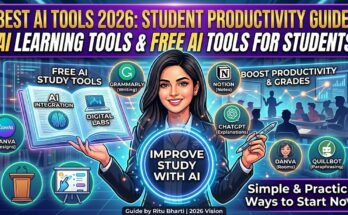
Best AI Tools for Students in 2026: Improve Study and Productivity

Best AI Tools for Students in 2026: Boost Productivity and Learning

AI tools for students

Artificial Intelligence is transforming education in a powerful way. Students today are not limited to traditional study methods. With the help of AI tools, learning has become faster, smarter, and more personalized.

In 2026, students are using AI tools not only to complete assignments but also to improve understanding, manage time, and boost productivity. These tools can act like a personal assistant that supports learning every day.

Choosing the right AI tools is important because not every tool is useful for every task. Some tools are better for writing, some for research, and others for organization. Understanding which tool to use can make a big difference in results.

What Are AI Tools for Students?

AI tools are smart applications that use artificial intelligence to perform tasks like writing, summarizing, solving problems, and organizing information.

They help students complete tasks quickly and improve understanding with better explanations.

Why Students Should Use AI Tools

  • Save time on assignments and research
  • Improve understanding of difficult subjects
  • Increase productivity and focus
  • Reduce academic stress

student using laptop AI

Best AI Tools for Students in 2026

There are many AI tools available today, but not all of them are suitable for students. The best tools are those that are easy to use, reliable, and actually help in learning instead of just completing tasks.

Below are some of the most useful AI tools that students can use in 2026 to improve their productivity, writing, research, and overall performance.

1. ChatGPT

ChatGPT helps students with writing, explanations, brainstorming ideas, and solving doubts in simple language. It is one of the most popular tools for learning and content creation.

2. Grammarly

Grammarly is one of the most useful tools for improving writing skills. It not only corrects grammar and spelling mistakes but also suggests better sentence structures and vocabulary. Students can use it while writing essays, assignments, emails, or reports. It also checks tone and clarity, which helps in making content more professional and easy to understand. Over time, it also helps students learn from their mistakes and improve their writing ability.

3. Notion AI

Notion AI is a powerful tool for organizing study material and managing tasks. Students can use it to create notes, generate summaries, and plan their daily study schedule. It helps in keeping everything in one place, which improves focus and productivity. Notion AI can also assist in writing content, brainstorming ideas, and structuring projects, making it a complete productivity tool for students.

4. QuillBot

QuillBot is mainly used for paraphrasing and rewriting content. It helps students express the same idea in different words without changing the meaning. This is especially useful while working on assignments where originality is important. QuillBot also offers grammar checking and summarizing features, which make it easier to improve writing quality and avoid plagiarism issues.

5. Canva AI

Canva AI is a great tool for creating visual content like presentations, posters, and social media designs. Students can use it to design attractive slides for projects and assignments without needing advanced design skills. It offers ready-made templates and AI-powered suggestions, which save time and improve the overall look of the work. This makes learning more creative and engaging.

6. Google Gemini

Google Gemini is an advanced AI tool that helps students with research, idea generation, and quick answers to questions. It can explain complex topics in simple language, making it easier for students to understand difficult concepts. It is especially helpful for project work, research assignments, and learning new topics. Since it is connected with Google’s ecosystem, it provides reliable and updated information.

How to Use AI Tools Effectively

Step 1: Choose the Right Tool for Your Need

Select tools based on your task. For example, use writing tools for assignments and design tools for presentations.

Step 2: Learn Basic Features First

Take time to explore features so you can use the tool effectively without confusion.

Step 3: Use AI as a Support Tool

Do not depend completely on AI. Use it to assist your learning and improve understanding.

Step 4: Always Review Output

Check and edit AI-generated content to ensure accuracy and quality.

Step 5: Avoid Overdependence

Balance your learning with AI usage to maintain your own thinking ability.

Common Mistakes to Avoid

  • Overdependence on AI tools
  • Copying content without checking
  • Ignoring real learning
  • Using untrusted tools

Tips for Better Results

  • Use AI as a helper, not a shortcut
  • Practice regularly
  • Keep learning new tools
  • Focus on improving your skills

study productivity AI tools

Future of AI in Education

AI will continue to improve education by making learning more personalized and efficient. Students who understand how to use AI tools properly will have a strong advantage.

Conclusion

AI tools are becoming essential for students in 2026. They he…

Best AI Tools for Students in 2026: Improve Study and Productivity Read More

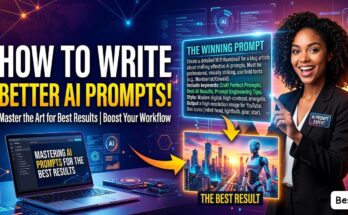
What Are AI Prompts? Learn How to Write Perfect Prompts (2026 Guide)

AI Prompts Guide 2026: How to Write Better Prompts for Accurate Results

Artificial Intelligence is now widely used in different fields such as content writing, coding, and digital marketing. Many people rely on AI tools to save time and improve productivity. However, one important factor that often gets ignored is how to write effective prompts.

A prompt is simply an instruction given to an AI tool. The quality of the output depends on how clearly and accurately the prompt is written. In this article, we will understand what AI prompts are, their importance, and how beginners can learn to write better prompts.

What Is an AI Prompt?

An AI prompt is a command, question, or instruction given to an AI system to generate a response. It helps the AI understand what kind of output is expected.

For example:

  • “Write an article on technology”
  • “Explain ethical hacking in simple terms”

These are basic prompts, but they may not always produce detailed or accurate results. More specific prompts usually give better output.

Why AI Prompts Are Important

Many users assume that AI tools will automatically generate perfect results. In reality, the output depends heavily on the input provided.

Well-structured prompts help in:

  • Generating more accurate responses
  • Saving time during editing
  • Reducing errors
  • Improving overall content quality

If the prompt is unclear, the output will also lack clarity.

Types of AI Prompts

Different types of prompts can be used depending on the requirement.

1. Instruction-Based Prompts

These prompts give direct instructions to the AI.

Example:

 “Write a 500-word article on cybersecurity.”

2. Question-Based Prompts

These are used when the user wants explanations or answers.

Example:

 “What is ethical hacking?”

3. Role-Based Prompts

In this type, a role is assigned to the AI for better results.

Example:

 “Act as a professional content writer and write a blog post.”

4. Detailed Prompts

These prompts include specific instructions such as tone, length, and format.

Example:

 “Write an 800-word SEO-friendly article on AI tools in simple English with headings.”

How to Write an Effective AI Prompt

Writing effective prompts requires clarity and structure. The following tips can help beginners improve their prompts:

Be Clear and Specific

Always mention exactly what you want from the AI.

Include Important Details

Specify word count, tone, and format to guide the output.

Use Simple Language

Clear language makes it easier for AI to understand the request.

Provide Examples (If Needed)

Examples help in getting more accurate results.

Define the Role

Assigning a role can improve the quality of the response.

Example of Weak vs Strong Prompt

❌ Weak Prompt:

 “Write about AI”

✅ Strong Prompt:

 “Write a 700-word SEO-friendly article on AI tools in simple English with proper headings.”

The second prompt is more detailed, which leads to a better and more structured response.

Common Mistakes Beginners Make

Beginners often make simple mistakes while writing prompts:

  • Writing very short or unclear prompts
  • Not providing enough details
  • Expecting perfect results in one attempt
  • Not refining or improving prompts

Improving prompts step by step can solve these issues.

How to Improve Prompt Writing Skills

To become better at writing prompts, regular practice is important.

  • Try different prompt styles
  • Analyze the output
  • Modify and improve prompts
  • Learn from mistakes

With time, you will understand what works best.

Where AI Prompts Are Used

AI prompts are used in many fields, including:

  • Content creation
  • Coding and development
  • Digital marketing
  • Customer support
  • Education

This makes prompt writing a valuable skill in today’s digital world.

Future of AI Prompts

As AI technology continues to evolve, prompt writing will become even more important. Many companies are already looking for people who can use AI tools effectively.

Prompt engineering is emerging as a new and valuable career option.

Conclusion

AI prompts play a key role in getting accurate and useful results from AI tools. A well-written prompt can improve both the quality and efficiency of your work.

By practicing regularly and focusing on clarity, anyone can learn to write effective prompts.

Written by Ritu Bharti | Tech & Cybersecurity Enthusiast

What Are AI Prompts? Learn How to Write Perfect Prompts (2026 Guide) Read More

5 Trending AI Image Generation Prompts

Top 5 Best AI Image Generation Prompts

1. iPhone Editing Prompt

iPhone AI Generation

👇 Copy This Prompt:

“Replace the phone in the boy/girl's hand with a realistic Apple iPhone 17 Pro Max. The phone should have a sleek premium design with flat edges, ultra-thin bezels, and a large triple-camera module with LiDAR sensor in the top-left corner. Use a natural metallic finish (like titanium or graphite), with the Apple logo centered on the back. Phone must be match with the reference image or more clear results. Match the perspective, hand position, lighting, shadows, and reflections perfectly so it looks naturally held in her hand. Maintain correct finger placement wrapping around the device. Add realistic screen reflection or subtle glare consistent with the bathroom lighting. Ensure photorealistic quality, high detail, and seamless blending so it appears like the original photo was taken with the iPhone. Keep the background, person, pose, and composition unchanged.

2. Hairstyle Suggestion Prompt

Hairstyle AI Generation

👇 Copy This Prompt:

"Here is my face photo. Analyze my face shape, forehead size, jawline, and overall hair texture. Based on this analysis: 1. Suggest at least 5 modern and trending hairstyles that will suit me best. 2. For each hairstyle, explain why it matches my face shape and personality. 3. Provide example hairstyle images (generated, not stock photos) so I can visualize each look. 4. Also recommend whether I should go for short, medium, or long hair length.5. Add quick styling and maintenance tips for each suggested hairstyle. Important: Along with text explanation, generate clear hairstyle example images adapted to my face photo." GENERATE IMAGE NOW.

3. Passport Photo Generator Prompt

Passport Photo AI Generation

👇 Copy This Prompt:

"Use the uploaded photo of the person and generate a standard Indian passport-size photo sheet. Keep the face EXACTLY the same without any modification or beautification. Maintain natural skin tone and original facial features. The background should be a clean light blue and white gradient, suitable for official Indian passport photos. The person should be centered, with proper head spacing, neutral expression, and formal alignment. Create a 12×3 grid layout (12 photos in total arranged in 3 rows), each in standard Indian passport size proportions. Ensure high resolution, sharp focus, proper lighting, and no distortion. The output should look like a professional passport photo print sheet ready for use."

4. Outfit Change Prompt

Outfit Change AI Generation

👇 Copy This Prompt:

Change the entire outfit in the first photo to match the outfit in the second photo. It should be realistic, (golden hour lighting) do not change anything else. " GENERATE IMAGE NOW. (Make sure you have to add reference Outfit image to generate realistic outfit changing photo)

5. Cinematic Portrait Prompt

Cinematic AI Generation

👇 Copy This Prompt:

Cinematic portrait restoration. Strictly preserve original pose, expression, and composition. Add warm golden-hour side lighting casting a defined, dramatic shadow on the wall behind. Upscale to Ultra-HD: sharpen details, enhance realistic skin texture, and reduce noise. Mood: Mysterious, high-contrast, warm highlights, deep shadows, photorealistic.

More Prompt 

5 Trending AI Image Generation Prompts Read More

Best AI Tools for Students in 2026: Improve Study and Productivity

Best AI Tools for Students in 2026: Boost Productivity and Learning

AI tools for students

Artificial Intelligence is transforming education in a powerful way. Students today are not limited to traditional study methods. With the help of AI tools, learning has become faster, smarter, and more personalized.

In 2026, students are using AI tools not only to complete assignments but also to improve understanding, manage time, and boost productivity. These tools can act like a personal assistant that supports learning every day.

Choosing the right AI tools is important because not every tool is useful for every task. Some tools are better for writing, some for research, and others for organization. Understanding which tool to use can make a big difference in results.

What Are AI Tools for Students?

AI tools are smart applications that use artificial intelligence to perform tasks like writing, summarizing, solving problems, and organizing information.

They help students complete tasks quickly and improve understanding with better explanations.

Why Students Should Use AI Tools

  • Save time on assignments and research
  • Improve understanding of difficult subjects
  • Increase productivity and focus
  • Reduce academic stress

student using laptop AI

Best AI Tools for Students in 2026

There are many AI tools available today, but not all of them are suitable for students. The best tools are those that are easy to use, reliable, and actually help in learning instead of just completing tasks.

Below are some of the most useful AI tools that students can use in 2026 to improve their productivity, writing, research, and overall performance.

1. ChatGPT

ChatGPT helps students with writing, explanations, brainstorming ideas, and solving doubts in simple language. It is one of the most popular tools for learning and content creation.

2. Grammarly

Grammarly is one of the most useful tools for improving writing skills. It not only corrects grammar and spelling mistakes but also suggests better sentence structures and vocabulary. Students can use it while writing essays, assignments, emails, or reports. It also checks tone and clarity, which helps in making content more professional and easy to understand. Over time, it also helps students learn from their mistakes and improve their writing ability.

3. Notion AI

Notion AI is a powerful tool for organizing study material and managing tasks. Students can use it to create notes, generate summaries, and plan their daily study schedule. It helps in keeping everything in one place, which improves focus and productivity. Notion AI can also assist in writing content, brainstorming ideas, and structuring projects, making it a complete productivity tool for students.

4. QuillBot

QuillBot is mainly used for paraphrasing and rewriting content. It helps students express the same idea in different words without changing the meaning. This is especially useful while working on assignments where originality is important. QuillBot also offers grammar checking and summarizing features, which make it easier to improve writing quality and avoid plagiarism issues.

5. Canva AI

Canva AI is a great tool for creating visual content like presentations, posters, and social media designs. Students can use it to design attractive slides for projects and assignments without needing advanced design skills. It offers ready-made templates and AI-powered suggestions, which save time and improve the overall look of the work. This makes learning more creative and engaging.

6. Google Gemini

Google Gemini is an advanced AI tool that helps students with research, idea generation, and quick answers to questions. It can explain complex topics in simple language, making it easier for students to understand difficult concepts. It is especially helpful for project work, research assignments, and learning new topics. Since it is connected with Google’s ecosystem, it provides reliable and updated information.

How to Use AI Tools Effectively

Step 1: Choose the Right Tool for Your Need

Select tools based on your task. For example, use writing tools for assignments and design tools for presentations.

Step 2: Learn Basic Features First

Take time to explore features so you can use the tool effectively without confusion.

Step 3: Use AI as a Support Tool

Do not depend completely on AI. Use it to assist your learning and improve understanding.

Step 4: Always Review Output

Check and edit AI-generated content to ensure accuracy and quality.

Step 5: Avoid Overdependence

Balance your learning with AI usage to maintain your own thinking ability.

Common Mistakes to Avoid

  • Overdependence on AI tools
  • Copying content without checking
  • Ignoring real learning
  • Using untrusted tools

Tips for Better Results

  • Use AI as a helper, not a shortcut
  • Practice regularly
  • Keep learning new tools
  • Focus on improving your skills

study productivity AI tools

Future of AI in Education

AI will continue to improve education by making learning more personalized and efficient. Students who understand how to use AI tools properly will have a strong advantage.

Conclusion

AI tools are becoming essential for students in 2026. They he…

Best AI Tools for Students in 2026: Improve Study and Productivity Read More